 Rebrilo
RAW editor · Mac · iPhone · iPad
Develop your RAW files on your own Mac, iPhone and iPad.
The tone and colour controls you expect, local masks that find the sky or the person, a studio that lights a person after the shutter — and on the Mac, the merges that usually mean leaving for another program. Nothing is copied, nothing is uploaded, and there is no Rebrilo account to make.
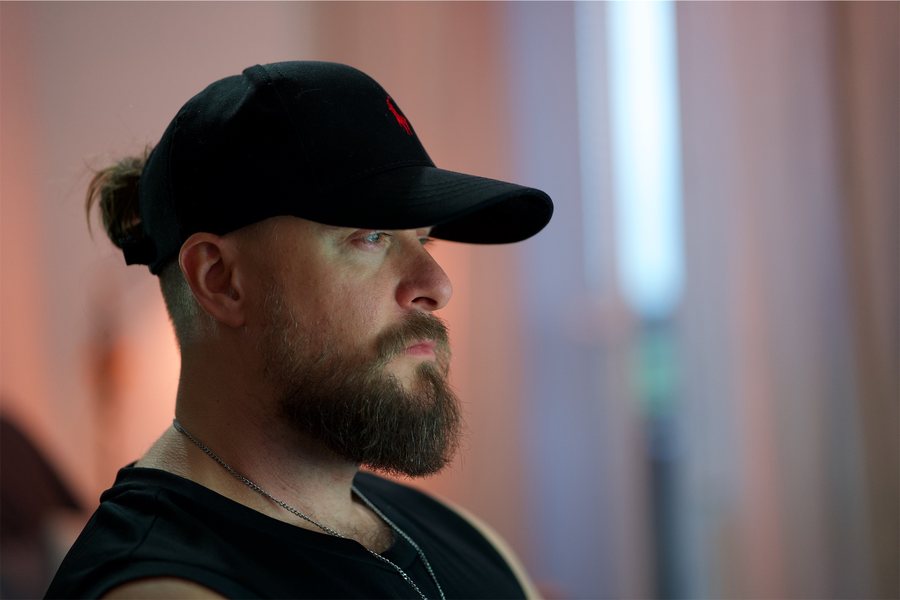
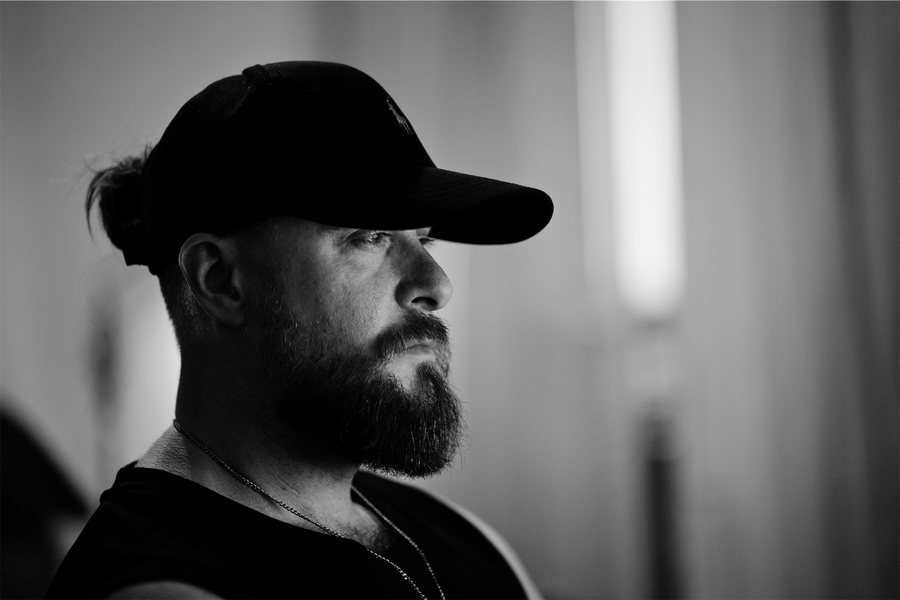
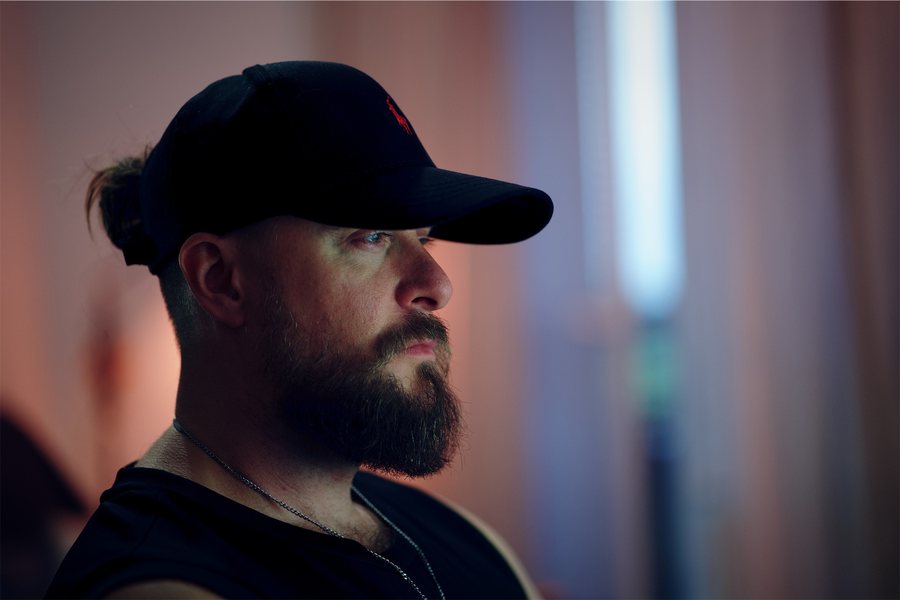
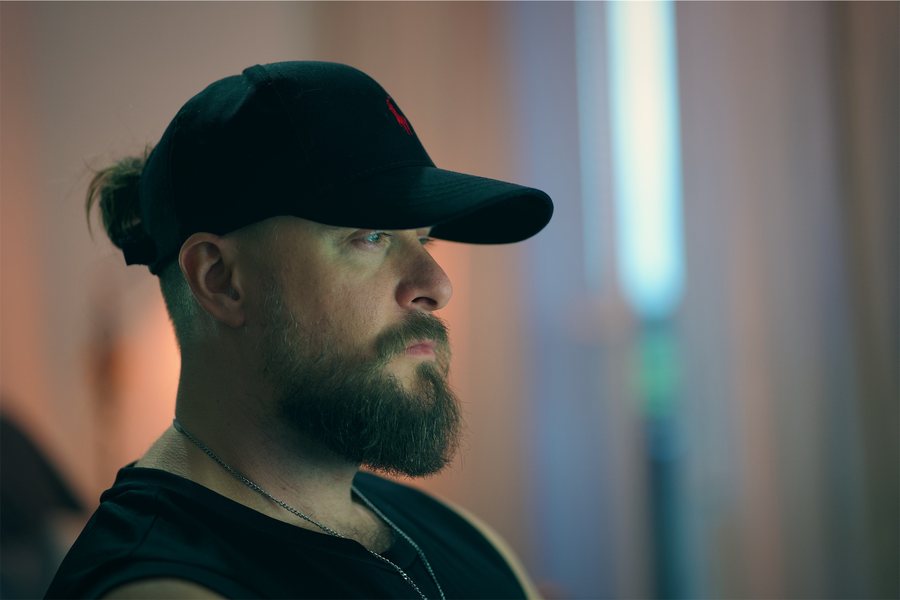
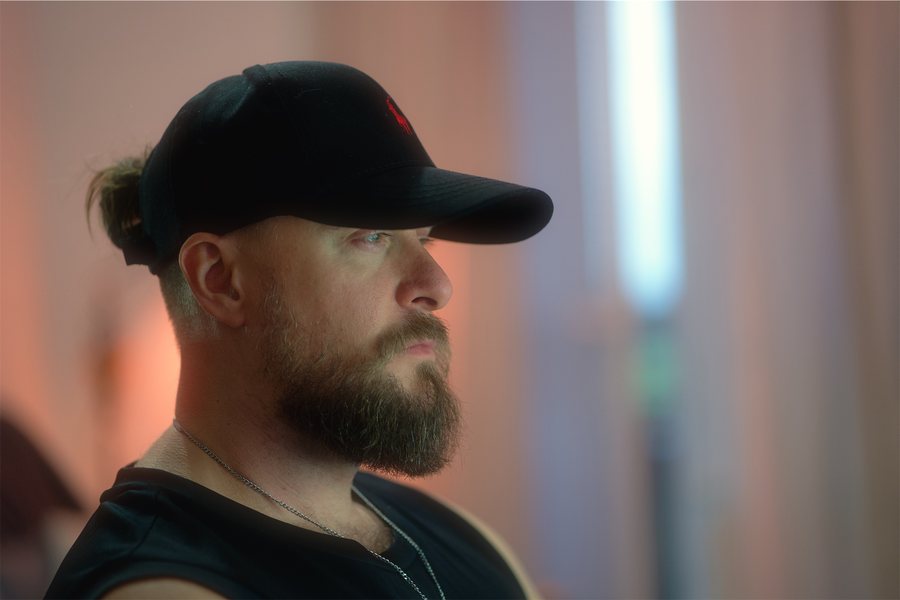
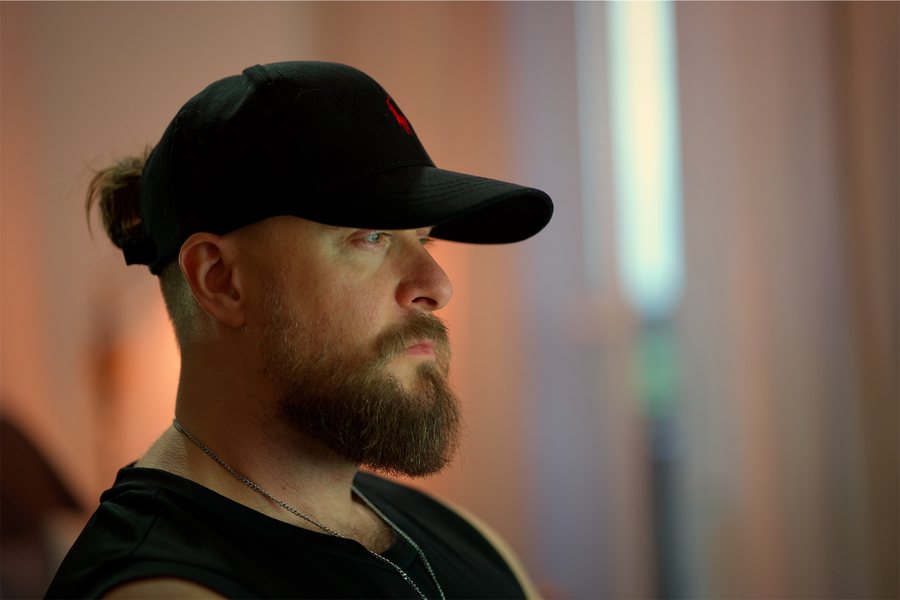
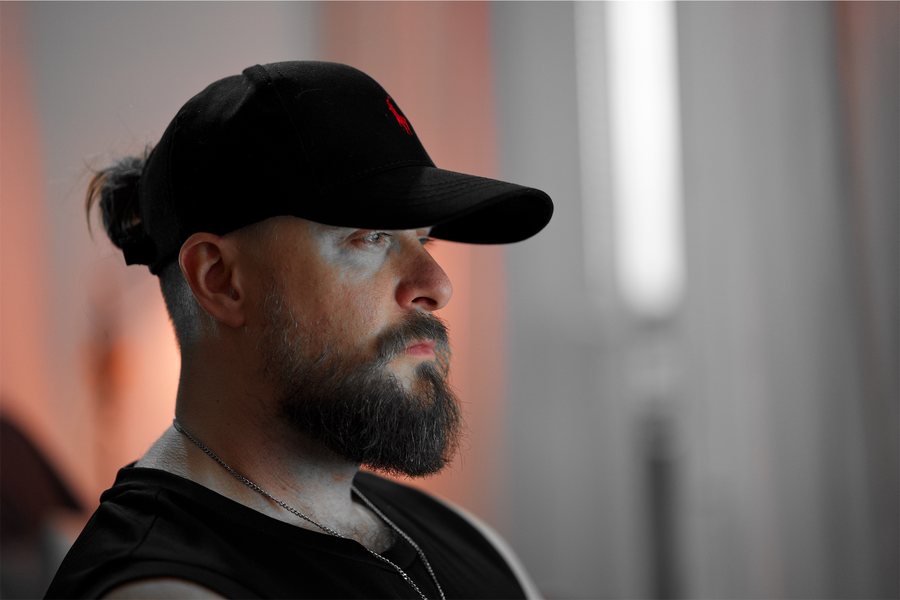
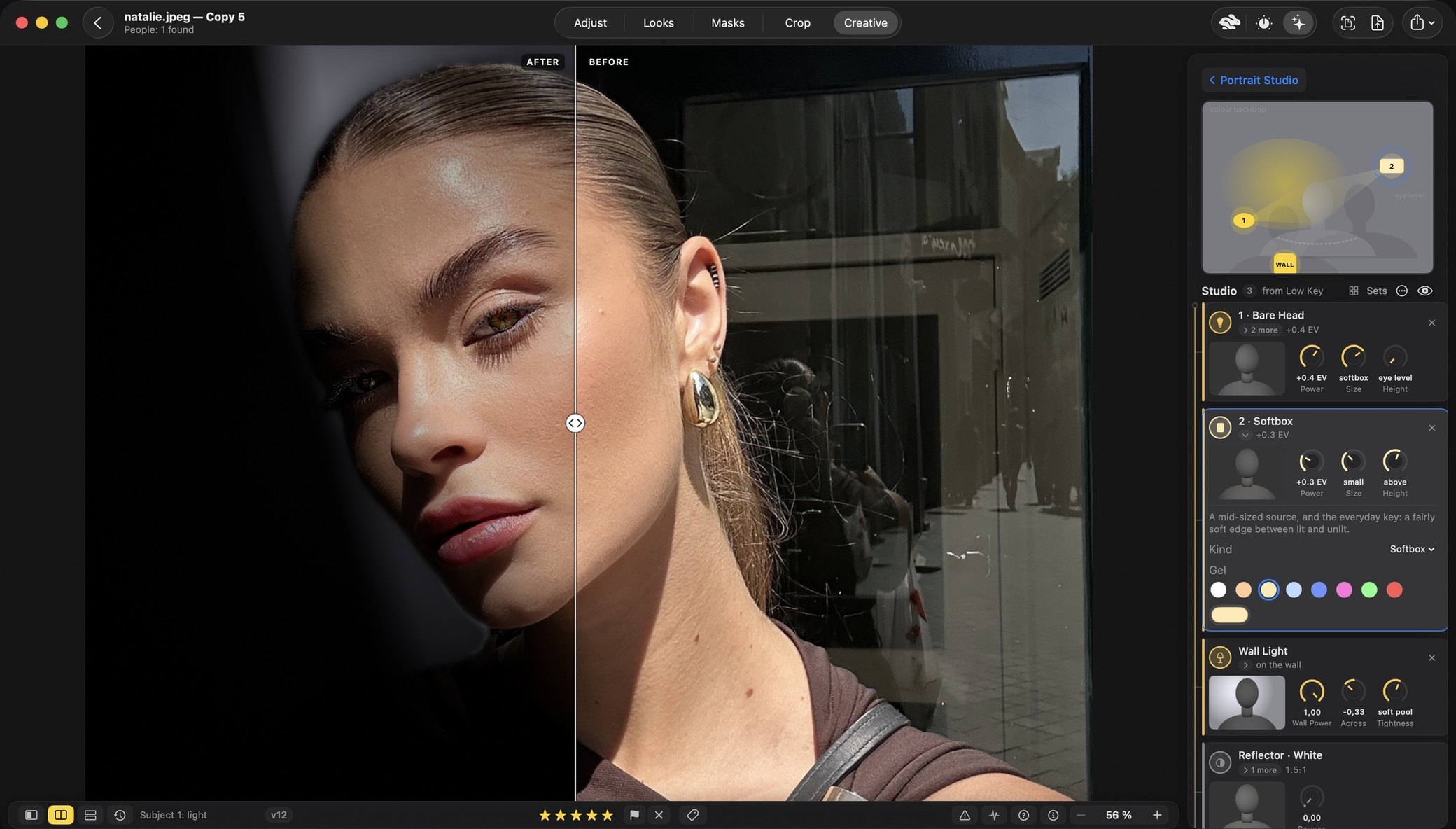
Drag the line, or tab to it and use the arrow keys. Before on the left, after on the right. One frame from a studio session, as the app’s own split shows it.
In the photograph: Luknar — Czech artist & musician · luknar.cz
One purchase for all three · Mac: macOS 26 or later, Apple silicon · iPhone and iPad: iOS 26 or iPadOS 26
What’s new
Mac 2.0 · 24 October 2026
A new light engine, and looks that move Out now
The Portrait Studio lights the person by their shape. Almost every look has a slider of its own. Palette and Harmony put the photograph’s colours on a wheel. See the Studio
iPhone & iPad 2.1 · 22 October 2026
Palette Studio Out now
Put the photo’s own colours on a wheel and move them into a palette, paint them, or set each one by hand. Palette Looks, crop guides and a new look, Dark Woods. See Palette
Mac 2.1 · Next
Palette Studio comes to the Mac
In the next update. It is in testing now. One purchase covers all three devices, so it arrives on the Mac as a free update.
What it does
Six rooms of one application
Real screens, not mock-ups. Pick a room; where it is on the iPhone and the iPad too, switch device.
Portrait Studio: light the person, after the shutter New in 2.0
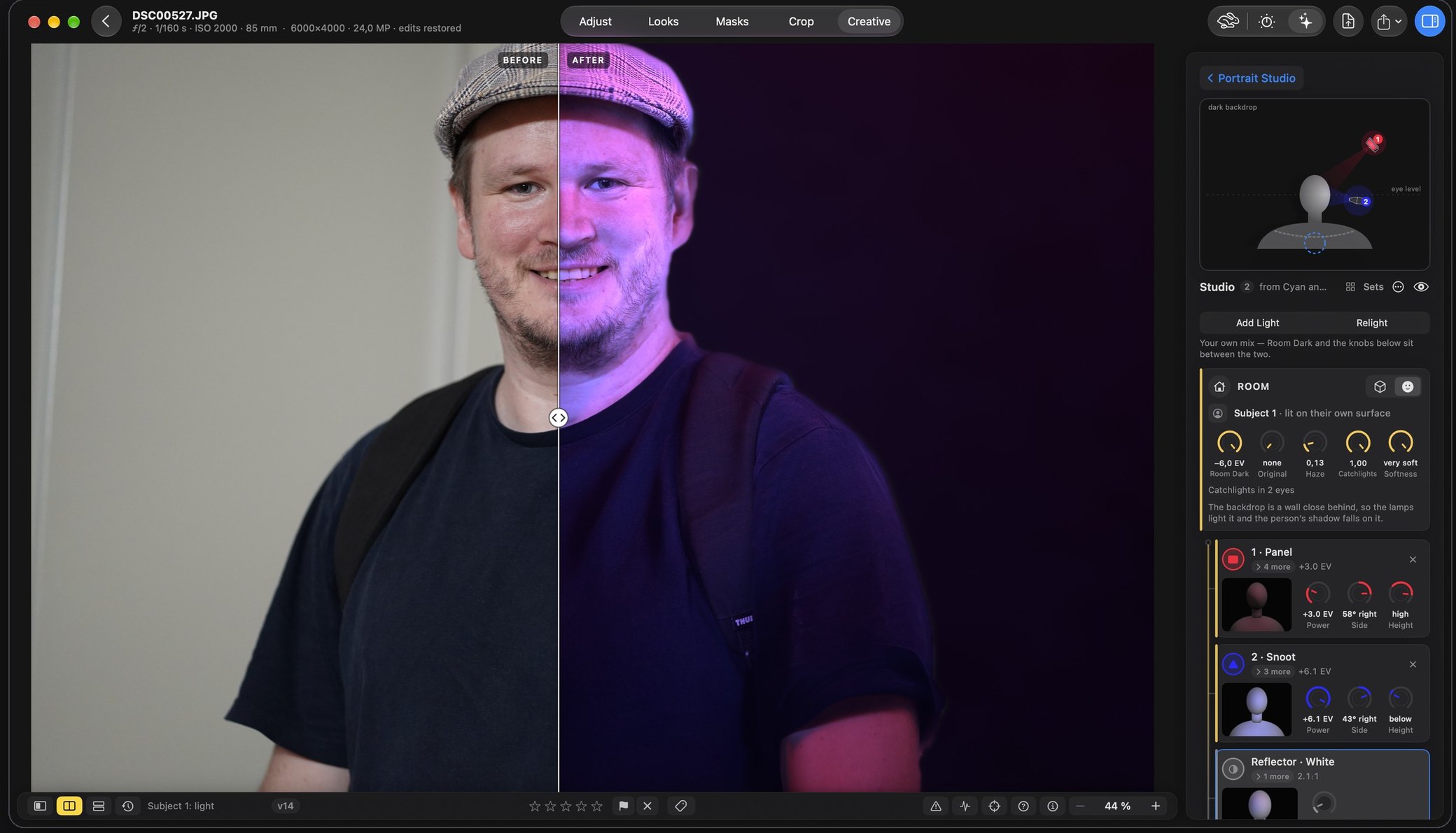
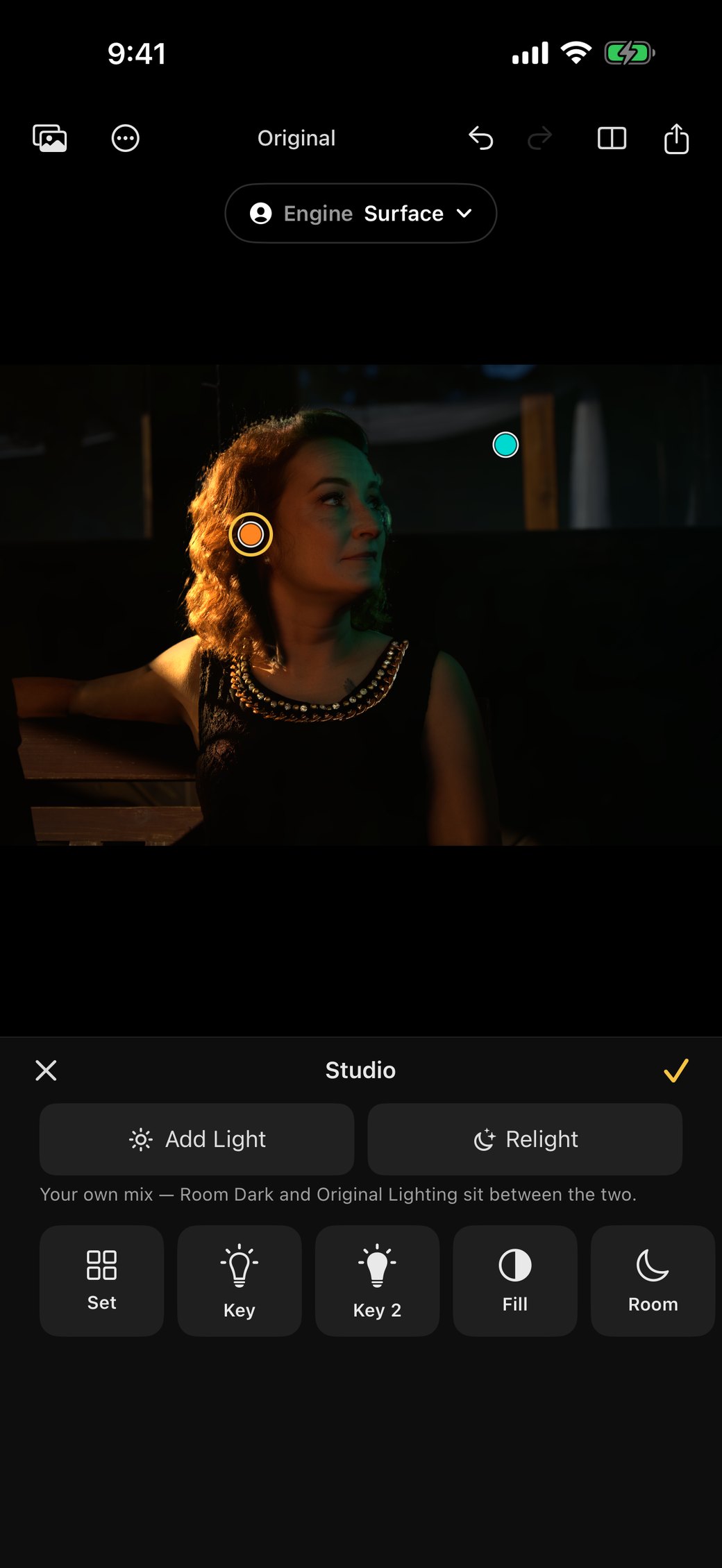
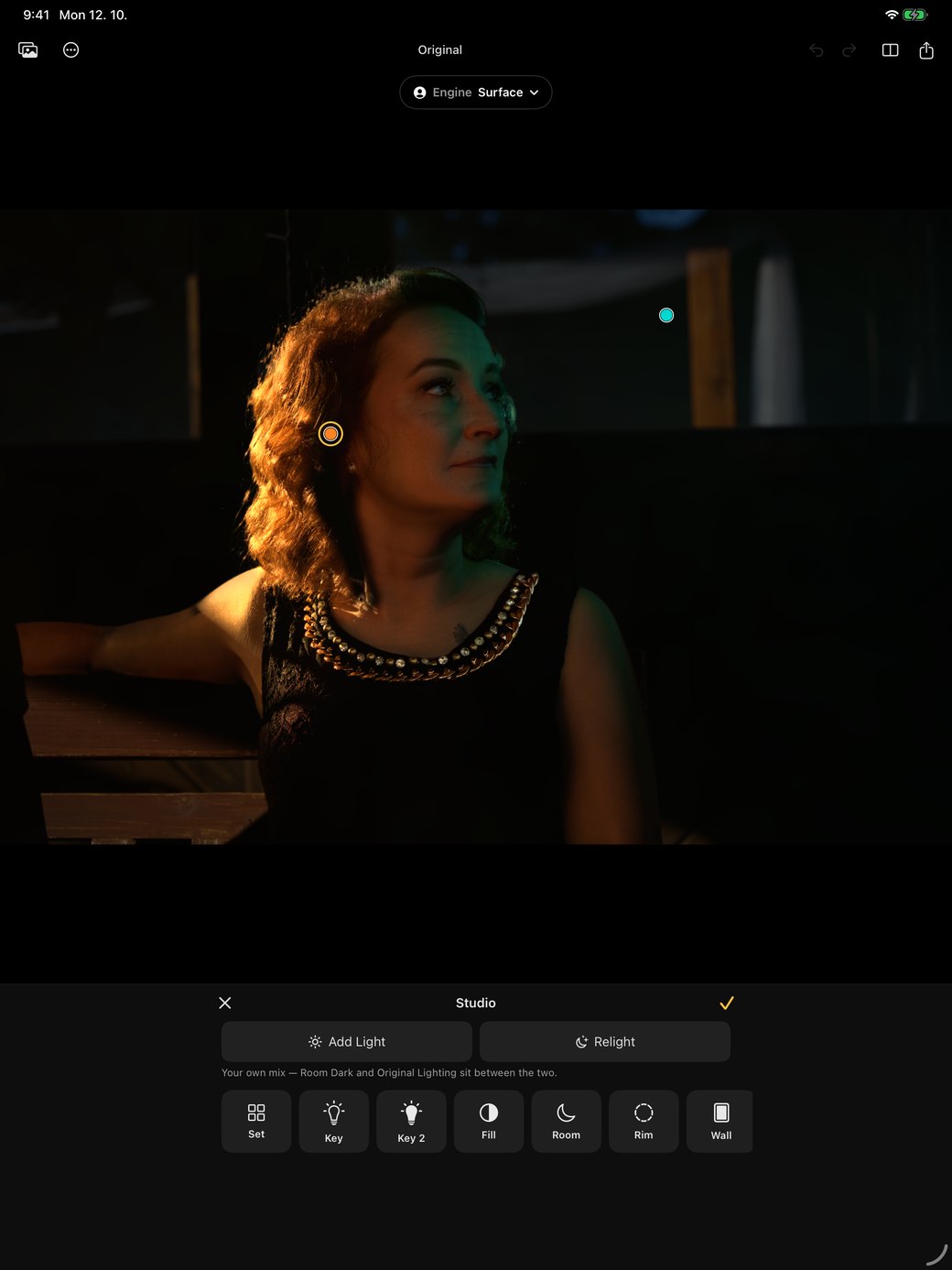
Rebrilo reads the shape of the person in the photograph, on the Mac itself, so a lamp lights the cheek that faces it and the nose throws a real shadow. Add Light keeps the photograph’s own light and adds to it; Relight takes it away and lights the person from dark.
- Coloured light, any colour — a gel from a colour wheel, a different colour on each side of the face.
- Light the Wall, and a real backdrop the lamps light.
- Every lamp is a card with a drawing and a sentence, tried on the photograph before it is added.
- Seventeen sets to start from — Rembrandt, butterfly, hard coloured light — or start empty.
- Catchlights stay on the iris; four reflectors — white, silver, gold, black.
Interactive Looks: a look that moves New in 2.0
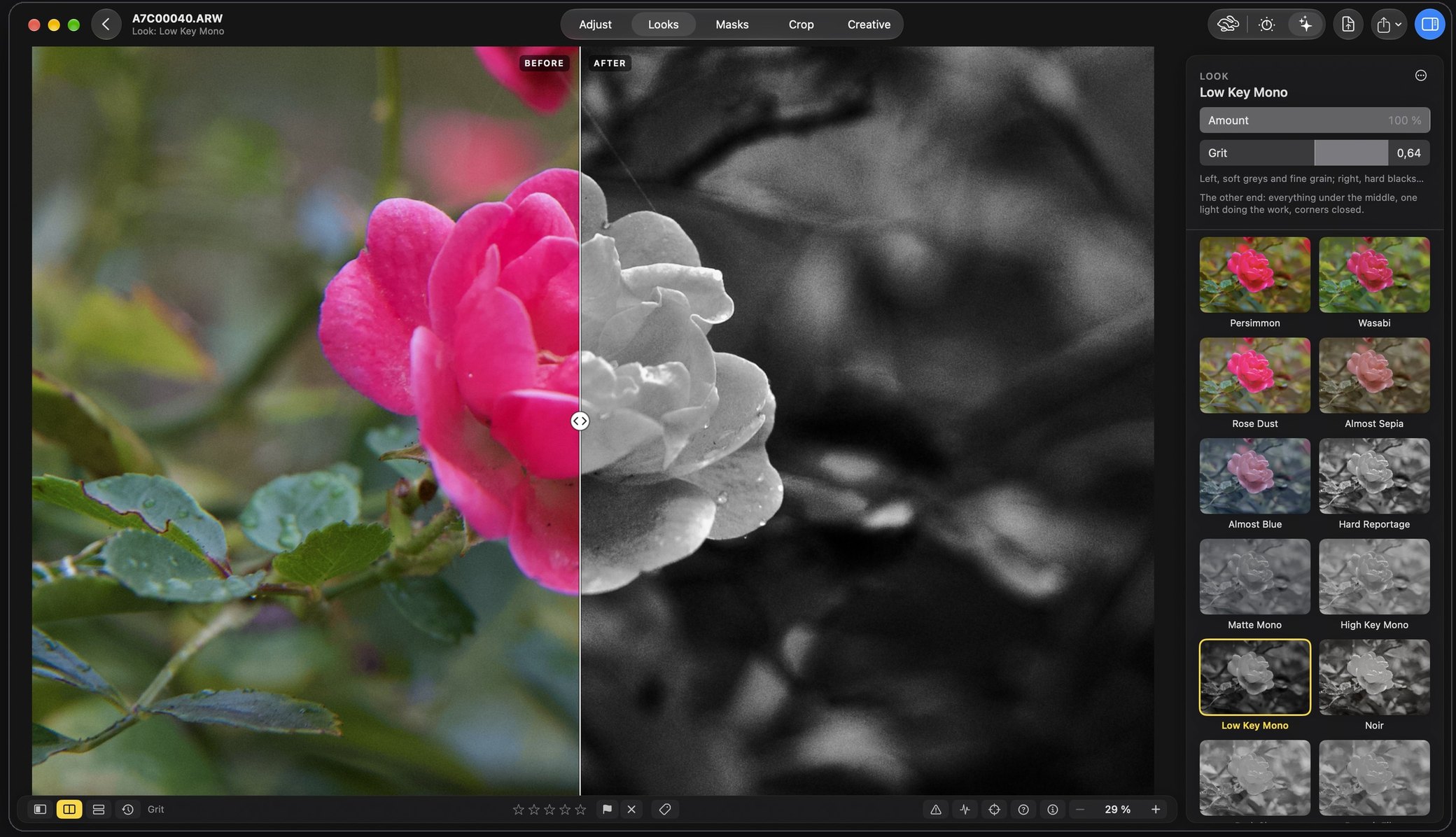
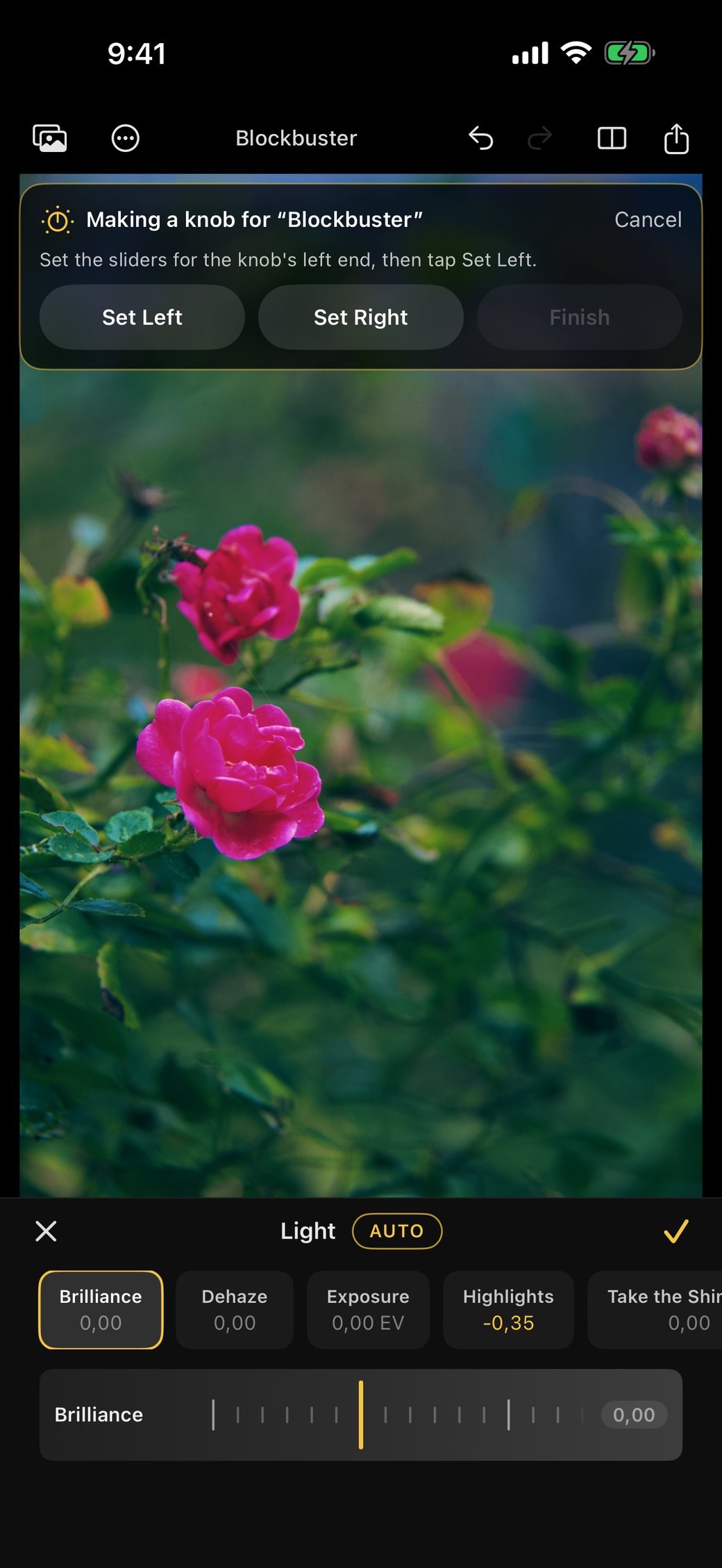
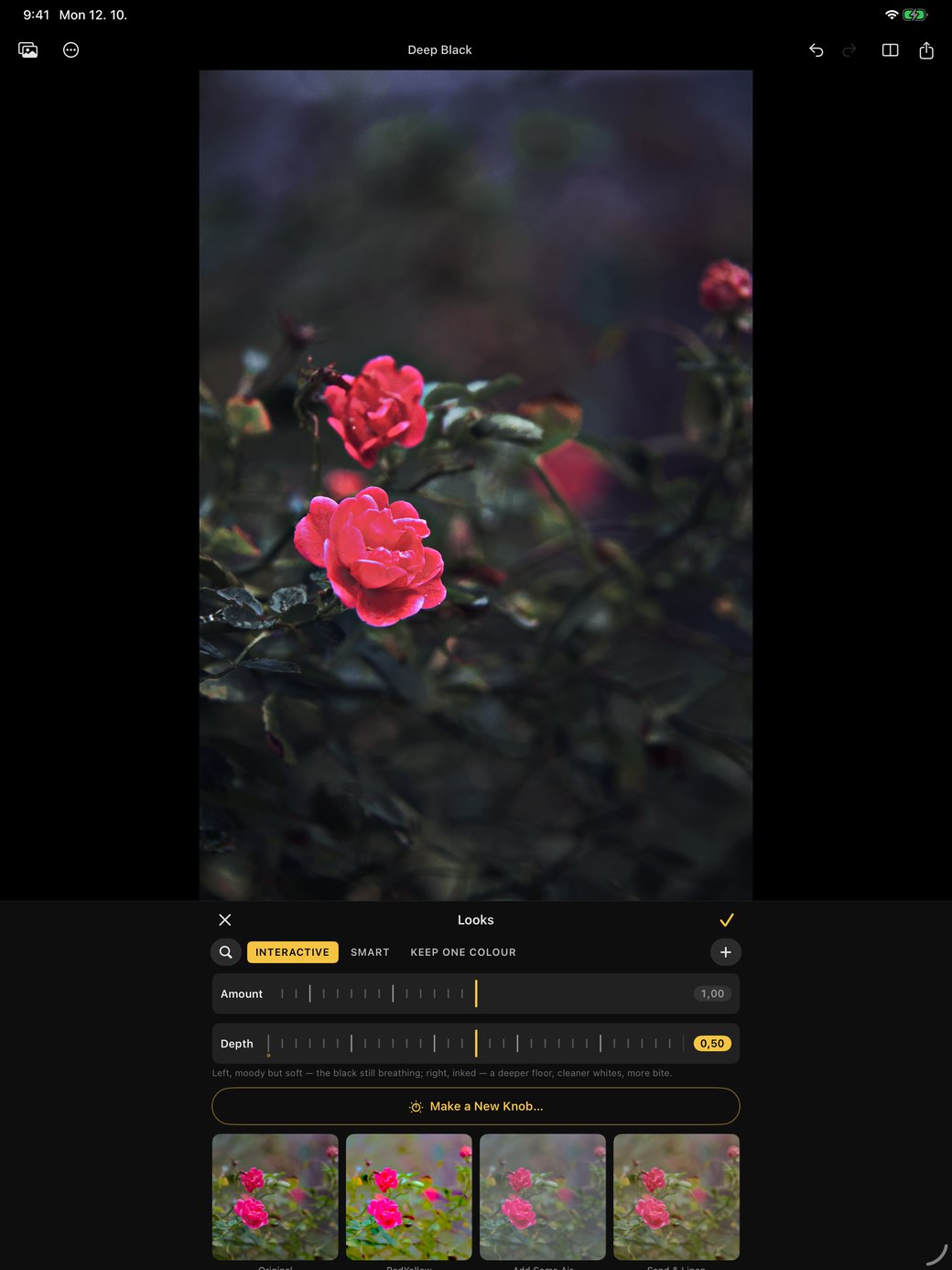
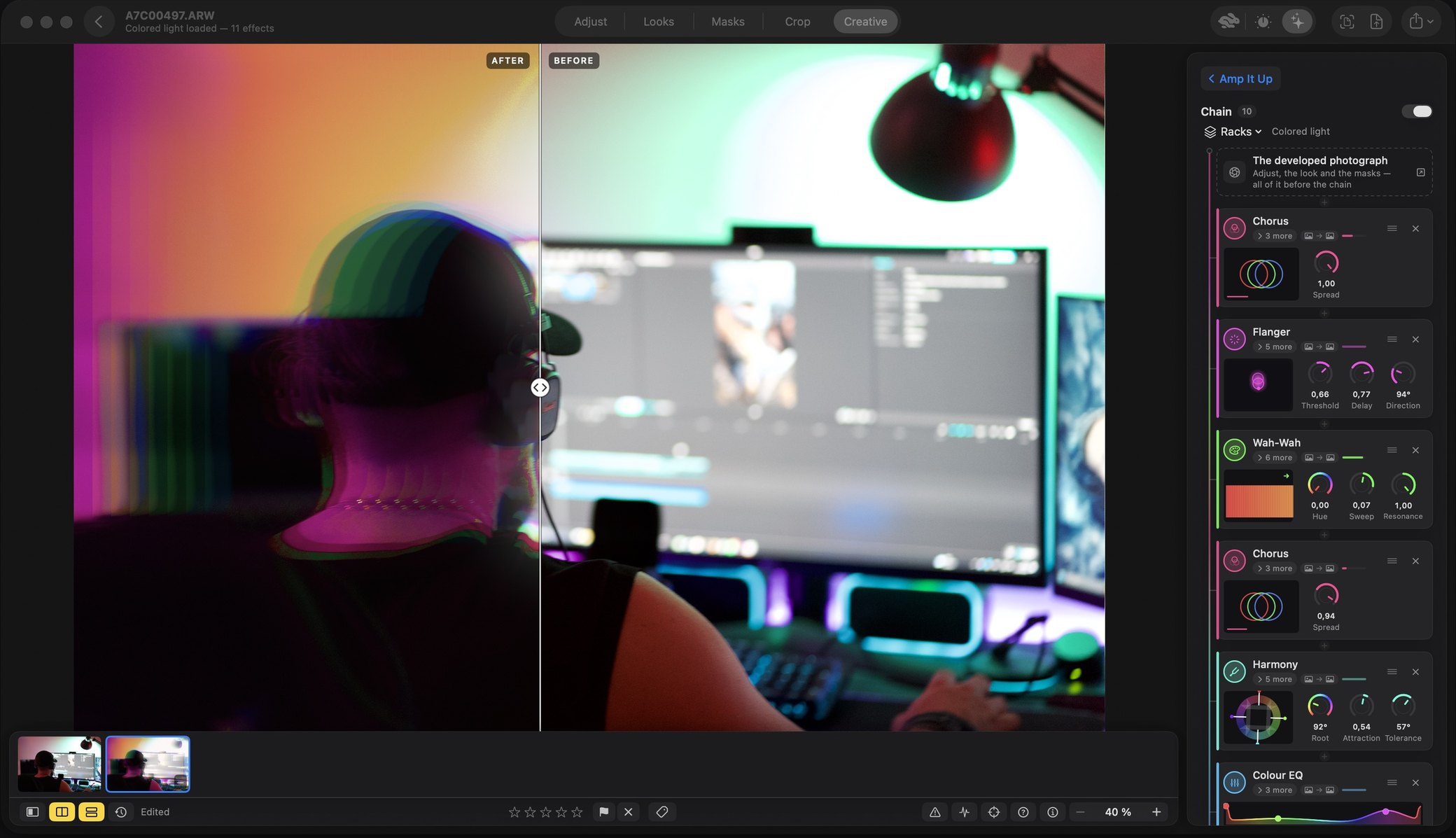
A look is no longer one fixed picture. Beside Amount, almost every look has a slider of its own that moves it through a whole range, from a soft version to an extreme one, so it fits the photograph in front of you. Make a Knob gives any look a knob of your own.
- Forty-two new looks — cinematic grades, film colour, night, black and white, vintage, Deep Black.
- Eighty look-alikes folded into thirty, each with a slider that travels between them.
- Smart looks read the frame before they style it, and Amount blends what the look actually did.
- Make a look from a photograph: point at a picture you admire and Rebrilo writes its mood into your sliders.
Palette: the photograph’s own colours, on a wheel New
The Mac’s Palette Studio screen arrives with 2.1.
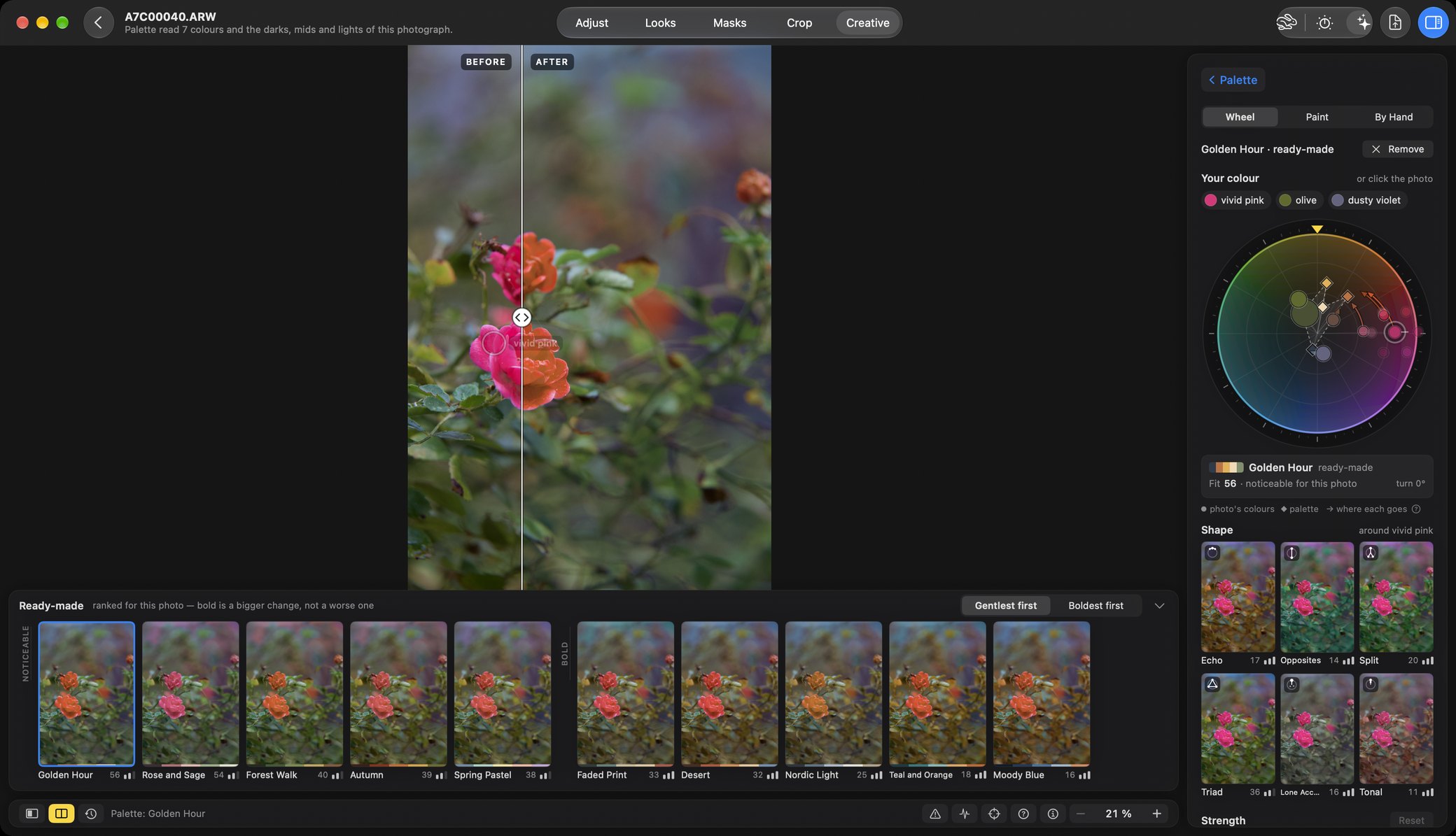
On the Mac today, Palette and Harmony put the photograph’s own colours on a colour wheel, and you move them by hand — on the whole photograph or inside a mask. On the iPhone and the iPad, Palette Studio goes further, and it comes to the Mac in the next update, 2.1. It is in testing now.
- Palette Studio (iPhone and iPad) — move the colours into a palette, paint them, or set each one by hand.
- Palette Looks — one tap moves the photo’s colours into two or three shades.
- Inside a mask — the same wheel, on one region only (Mac 2.0).
Masks: the region found for you
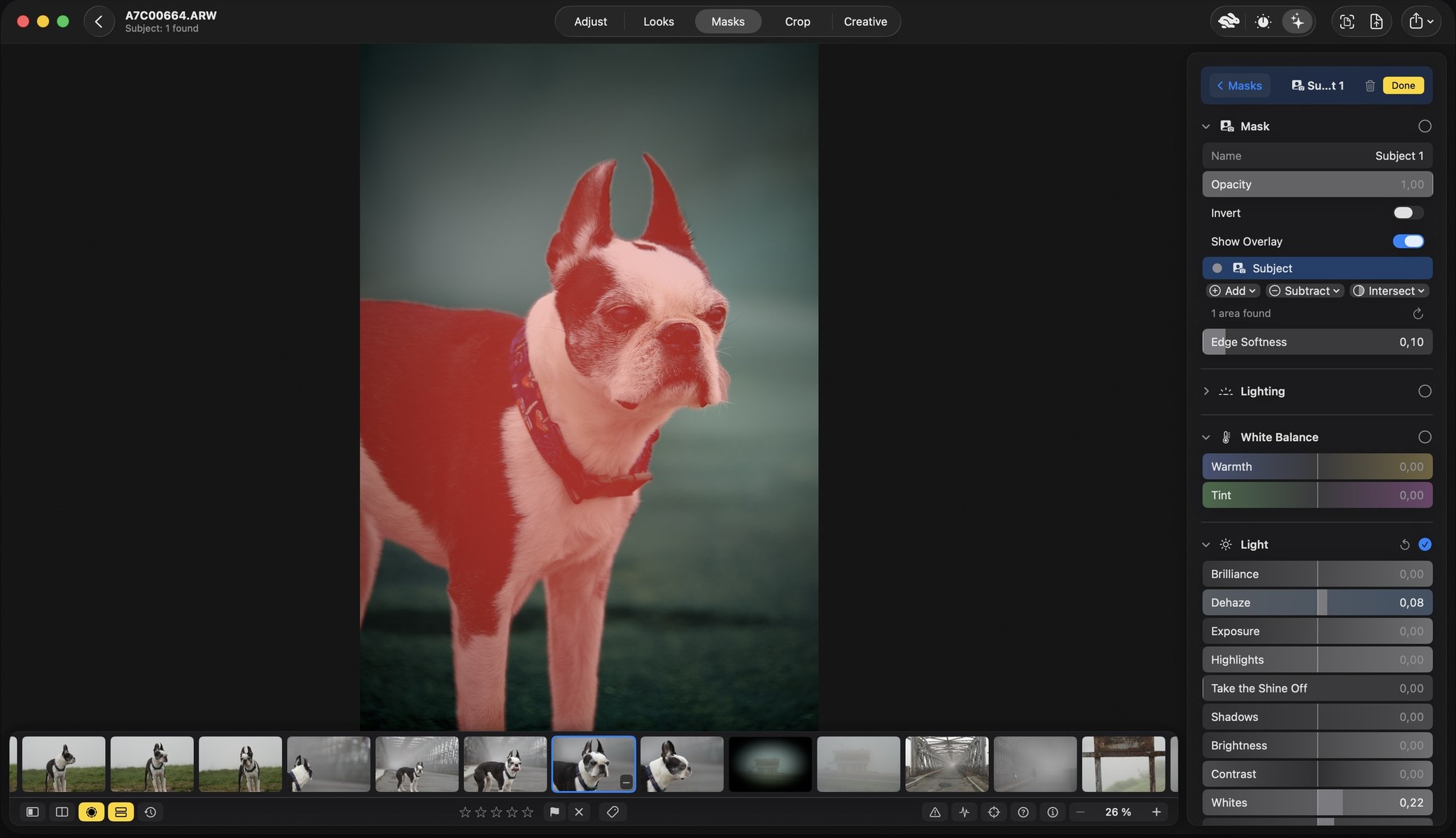
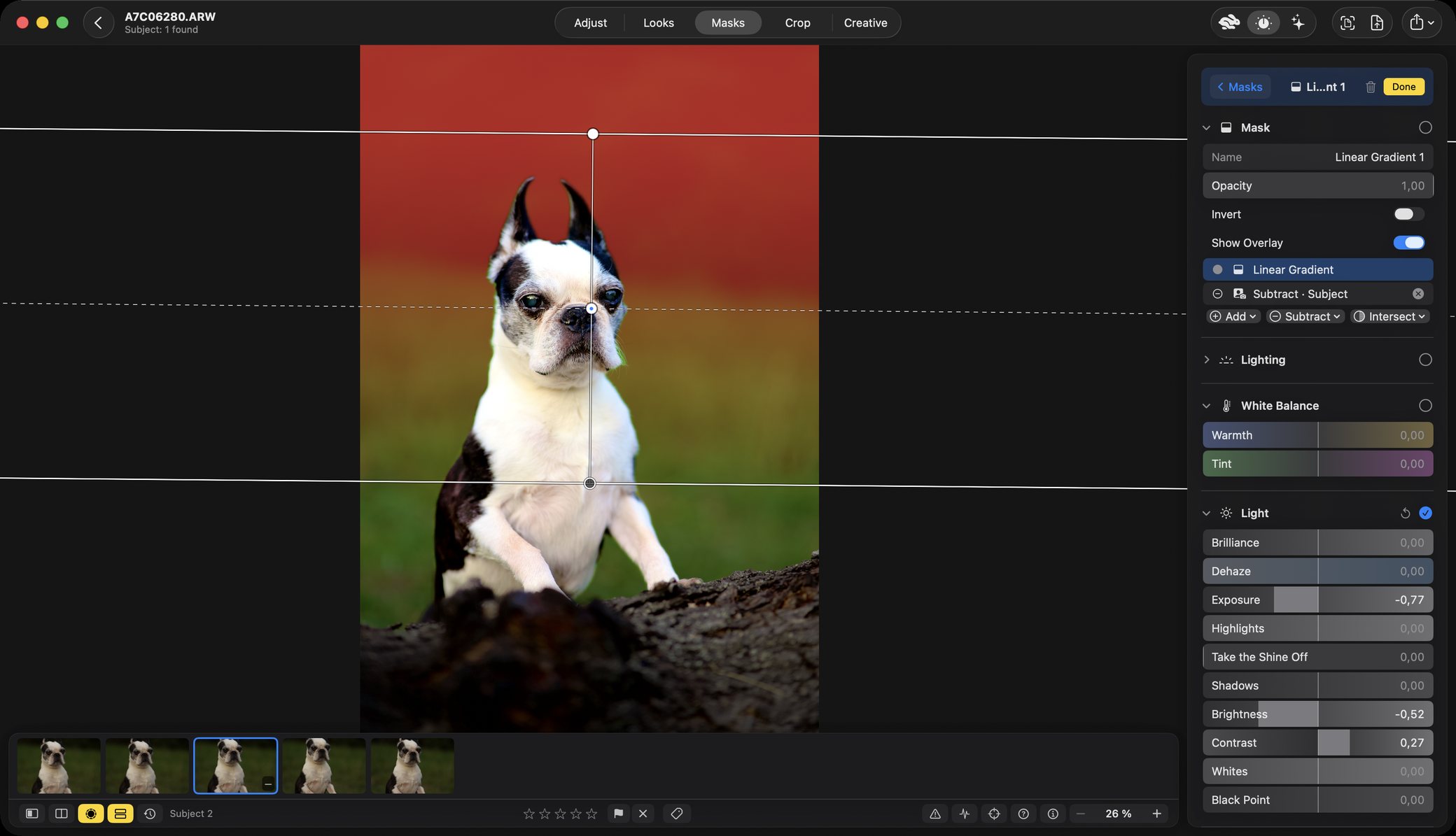
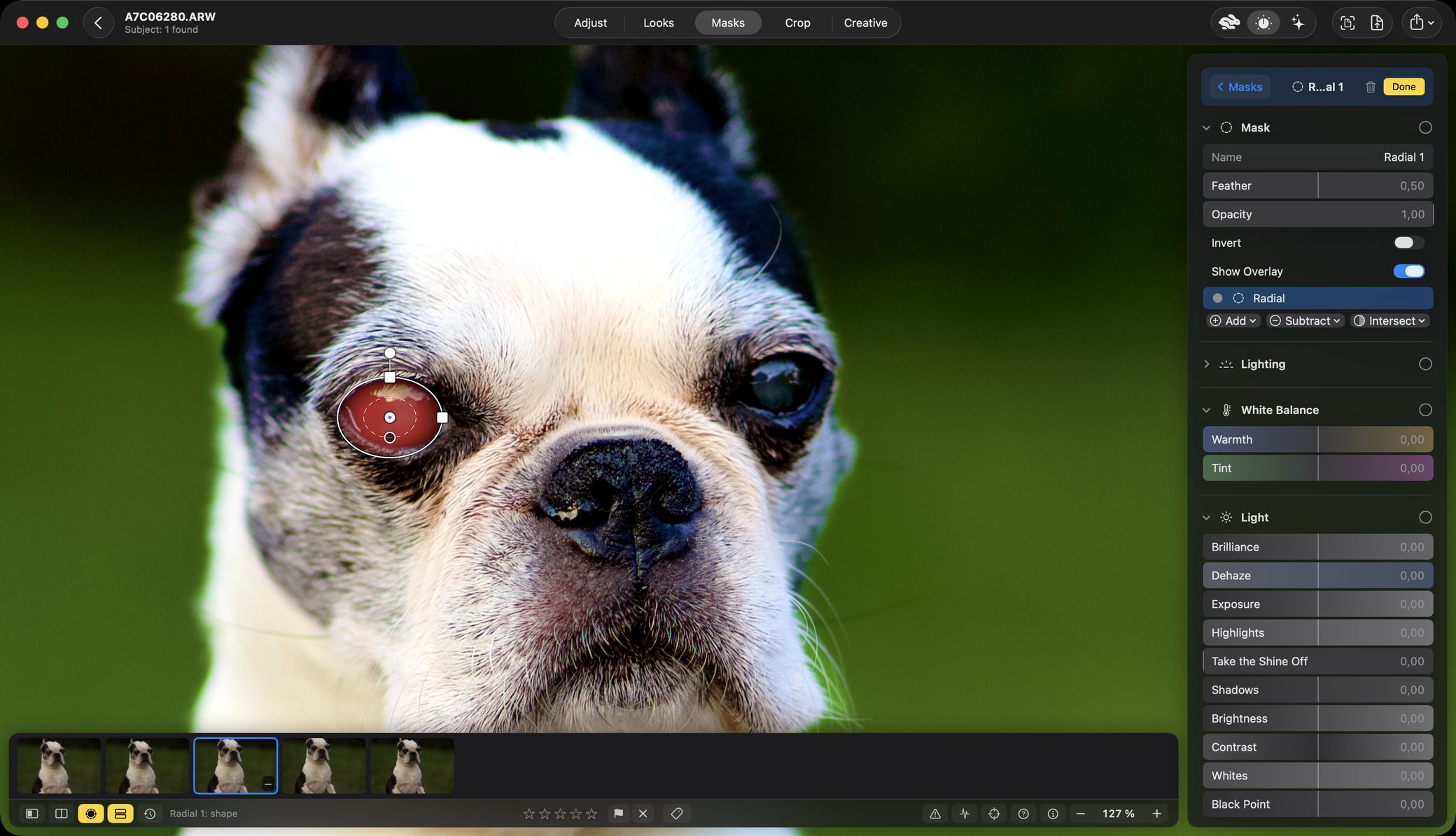
Radial, linear and brush masks, plus the subject, the people and the sky found by the device itself. Build a mask out of pieces and give it its own tone, colour and light. In 2.0 the AI masks are kept with the edit, so reopening a photograph never finds them differently.
- Found, not drawn — Subject, People and Sky, by Apple’s Vision framework on your own device.
- Luminance and colour range masks, inverted with one switch.
- Smoother linear and radial masks, and a tidier Masks tab.
Library: your folders, read where they are
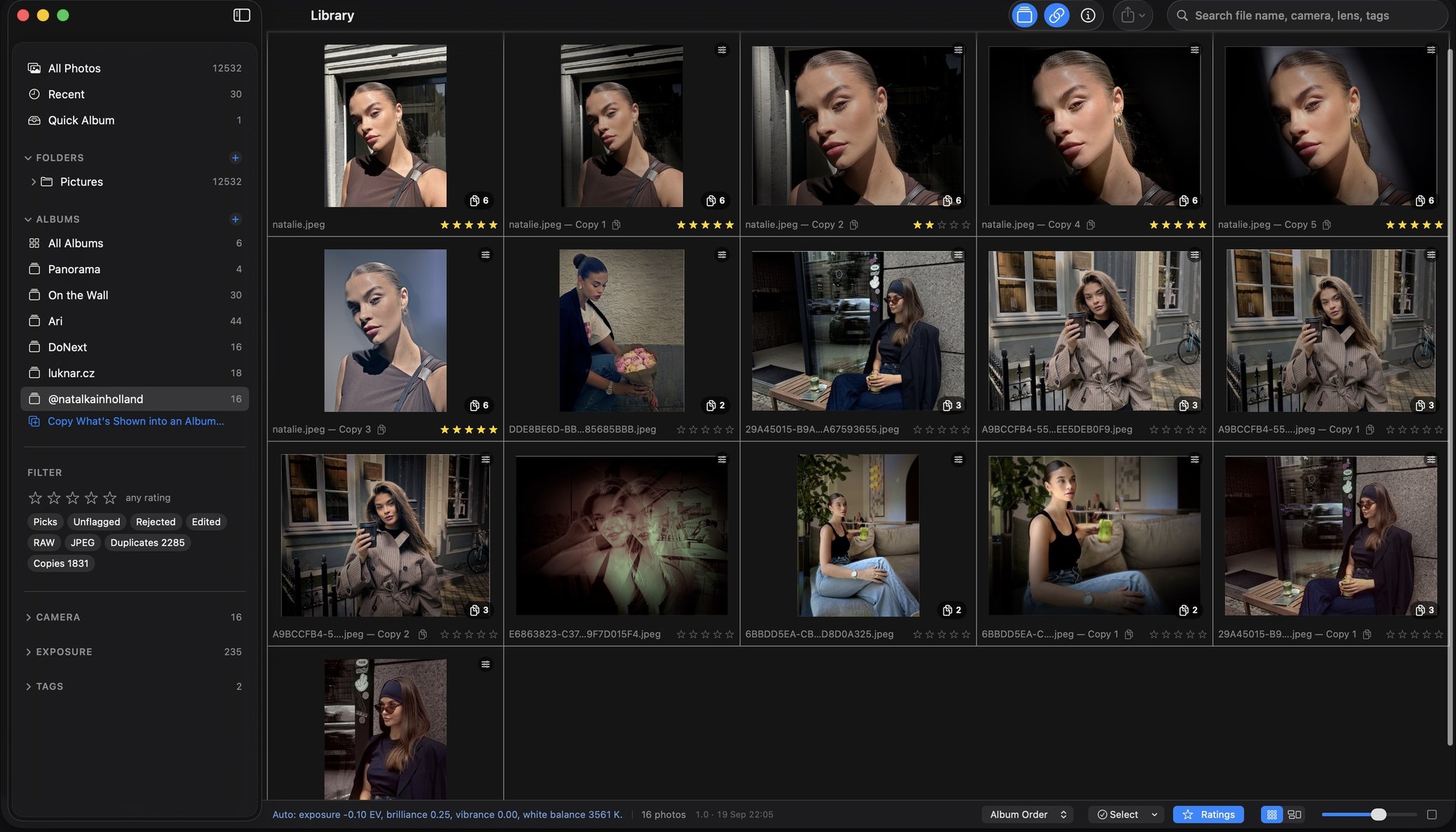
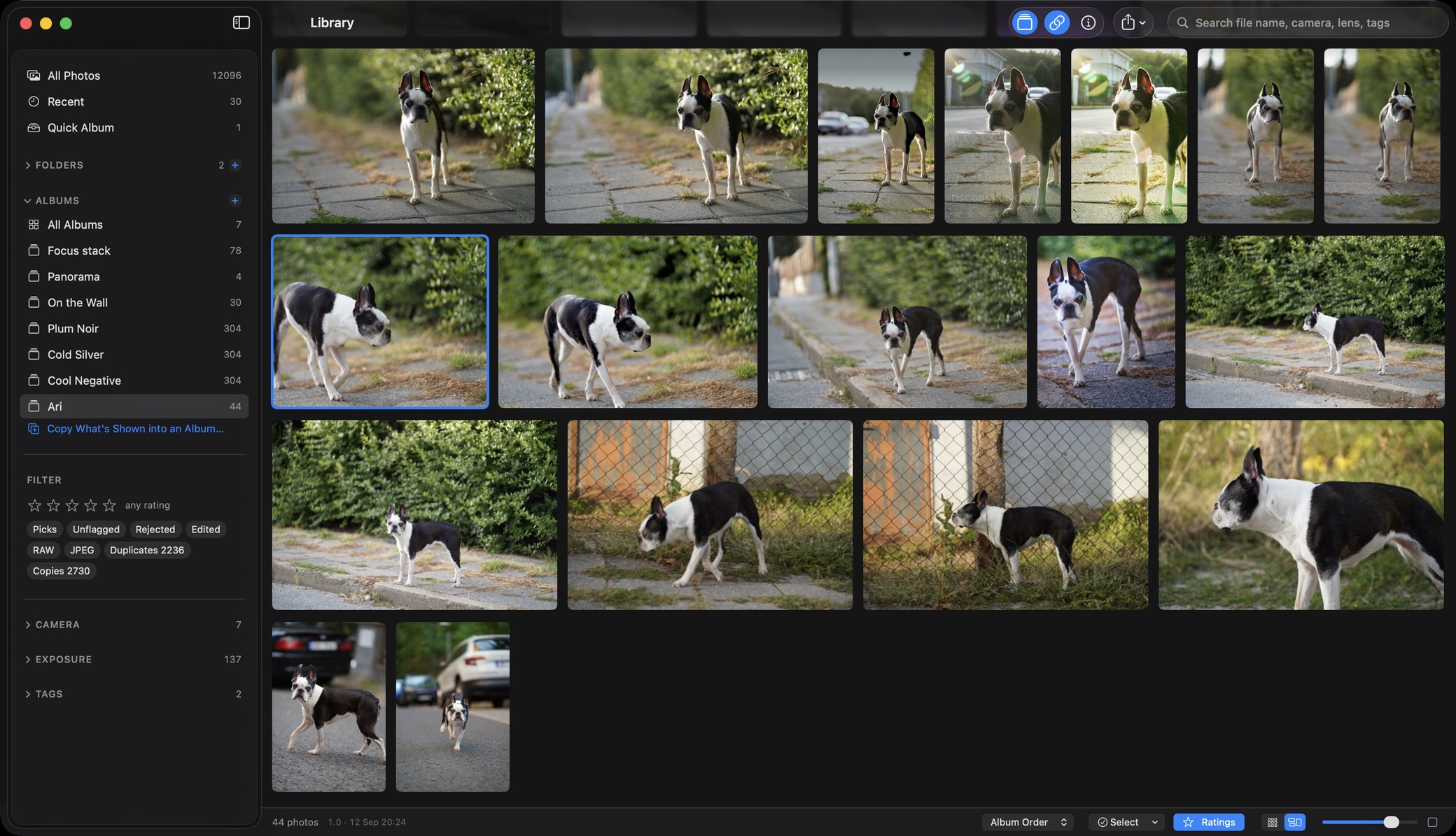
Folders are referenced where they already are — nothing imported, nothing copied — and a grid that stays quick because it was measured at a hundred thousand photographs rather than assumed.
- Ratings, flags, albums, automatic series, duplicates, RAW + JPEG pairs and virtual copies.
- Export recipes — format, colour space, resize, sharpening, metadata and a watermark, applied to a whole selection.
- Works with Shortcuts — open, auto-enhance, apply a look, adjust and export, and Spotlight runs them by name.
Several frames: bursts, brackets and whole shoots
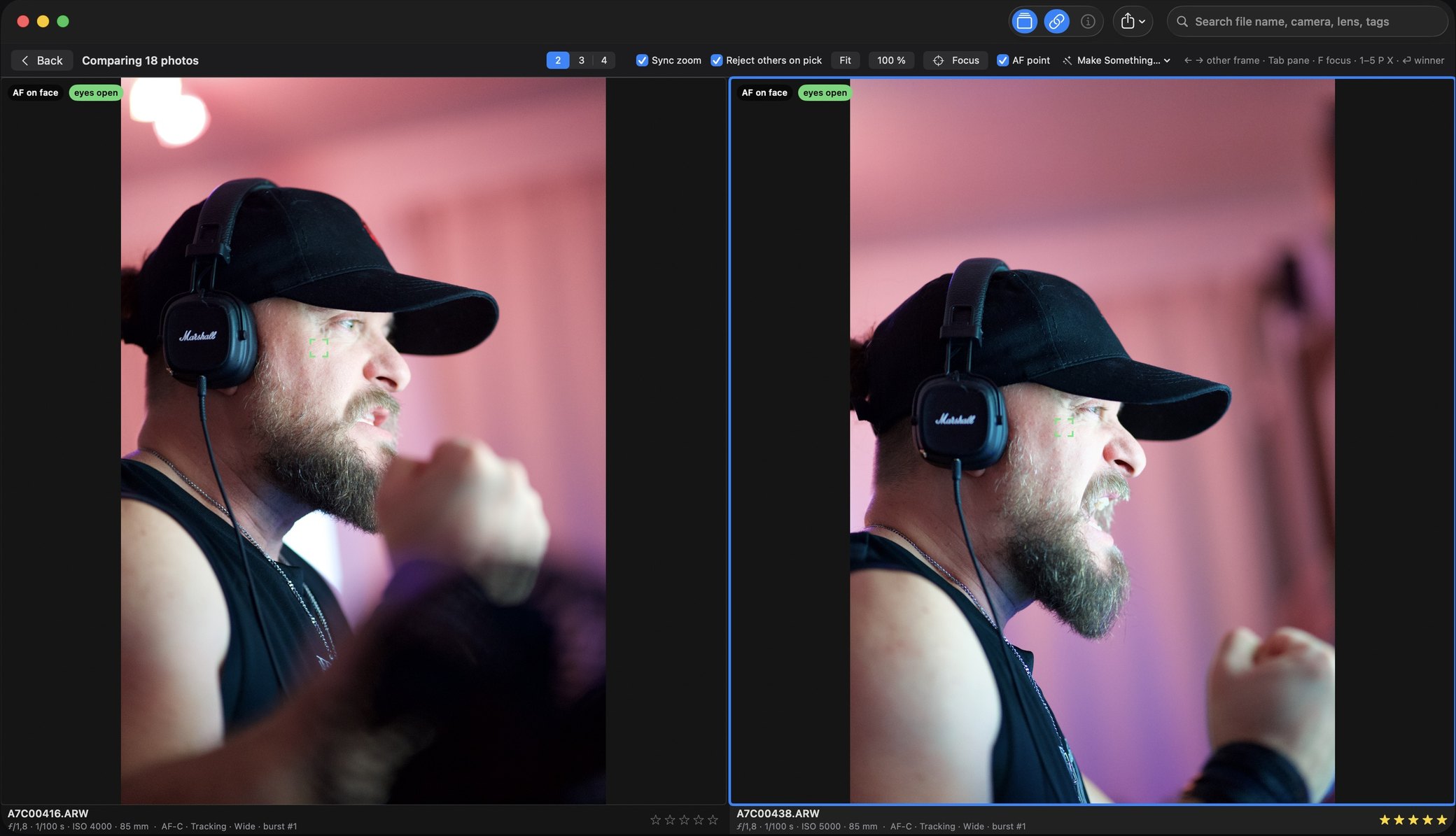
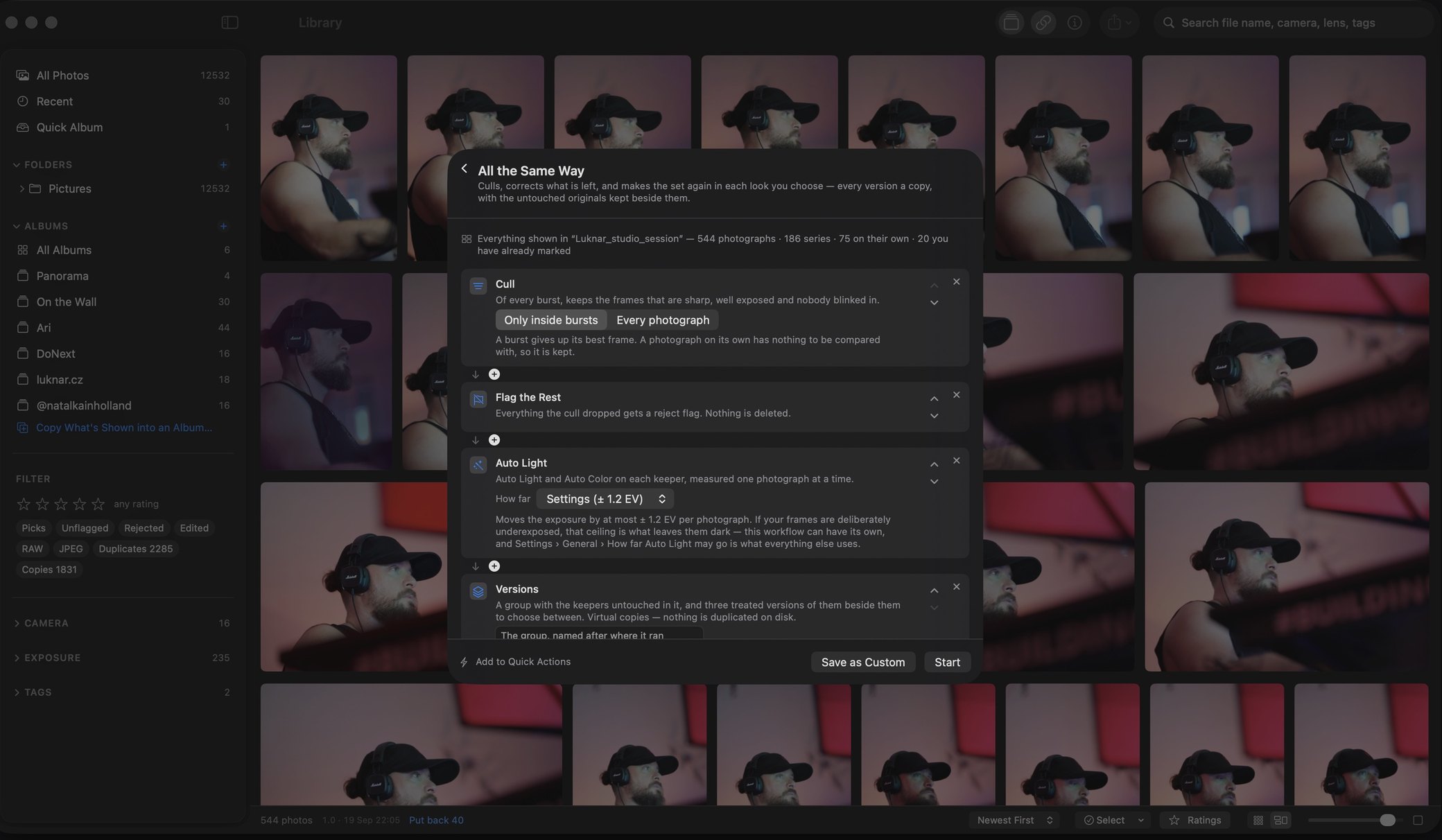
On the Mac, the merges that usually mean leaving for another program, started from a series or a selection right there in the library.
- Panorama, HDR, exposure fusion, hand-held burst and long exposure.
- Light trails, removing passers-by, an action sequence.
- The best face of each person, on one frame.
Portrait Studio · Mac 2.0
Take the room down, then light the person
Relight starts from dark. Each lamp is placed on a plan of the room, and the light falls on the shape of the person: the side of the face that turns towards it, the shadow under the nose and the brow.
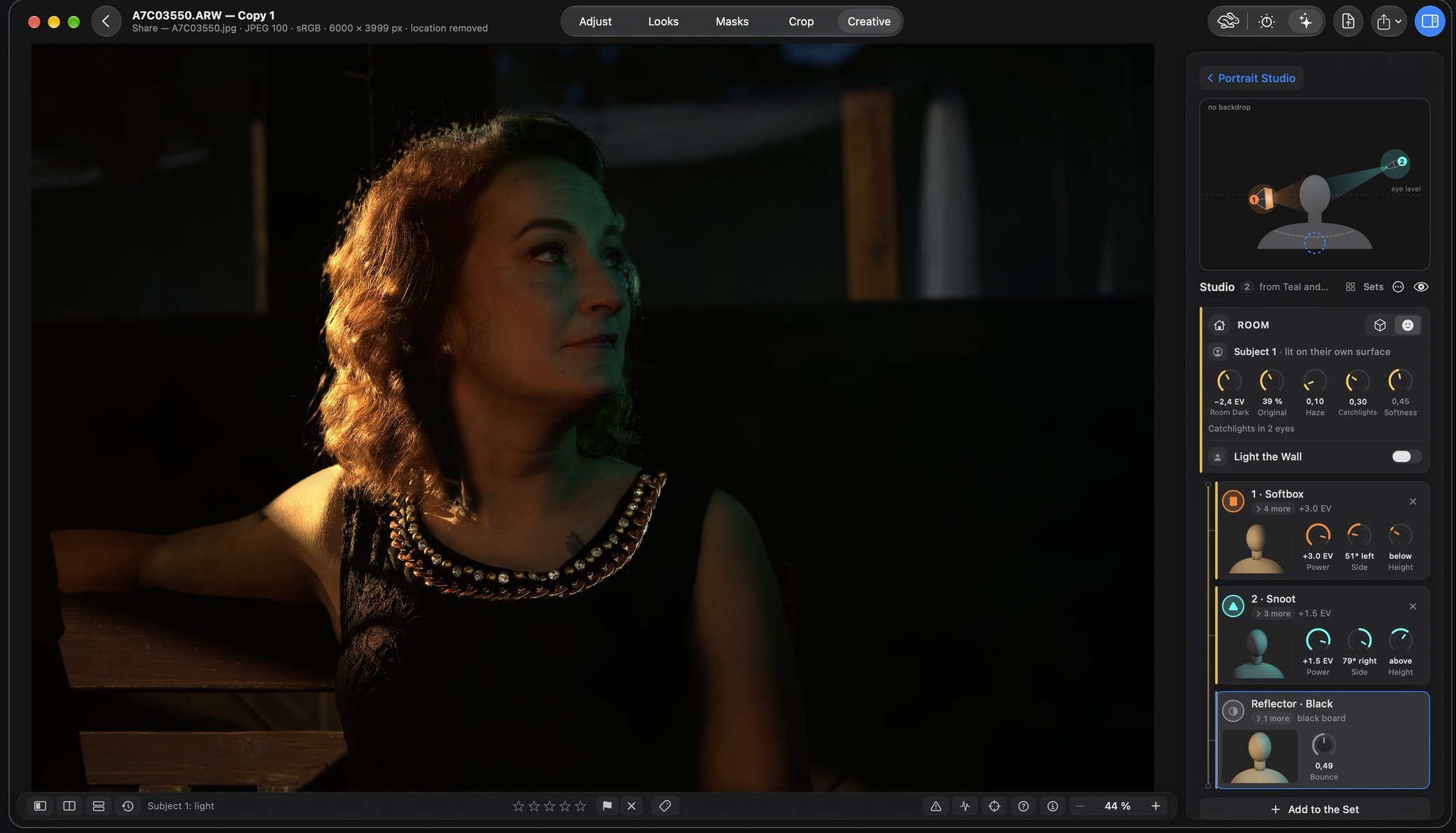
Adjust
The whole tone stack, on the RAW
Exposure, highlights and shadows, curves, colour grading, selective colour, clarity, texture, dehaze, grain and vignette. Every tone slider goes one way for its whole travel. A beginner gets somewhere good with one press; the press shows its working, and every part of it can be overruled.
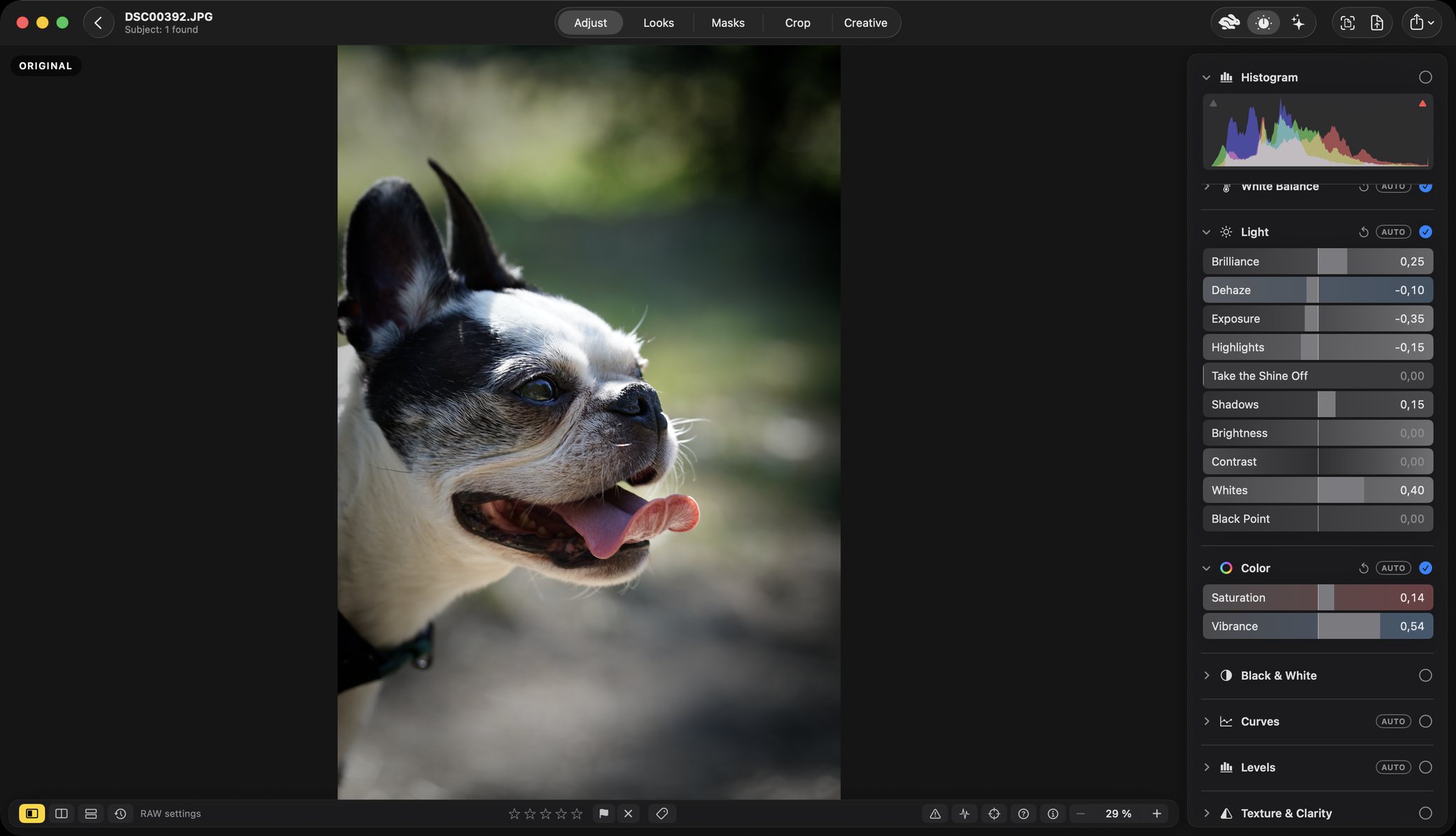
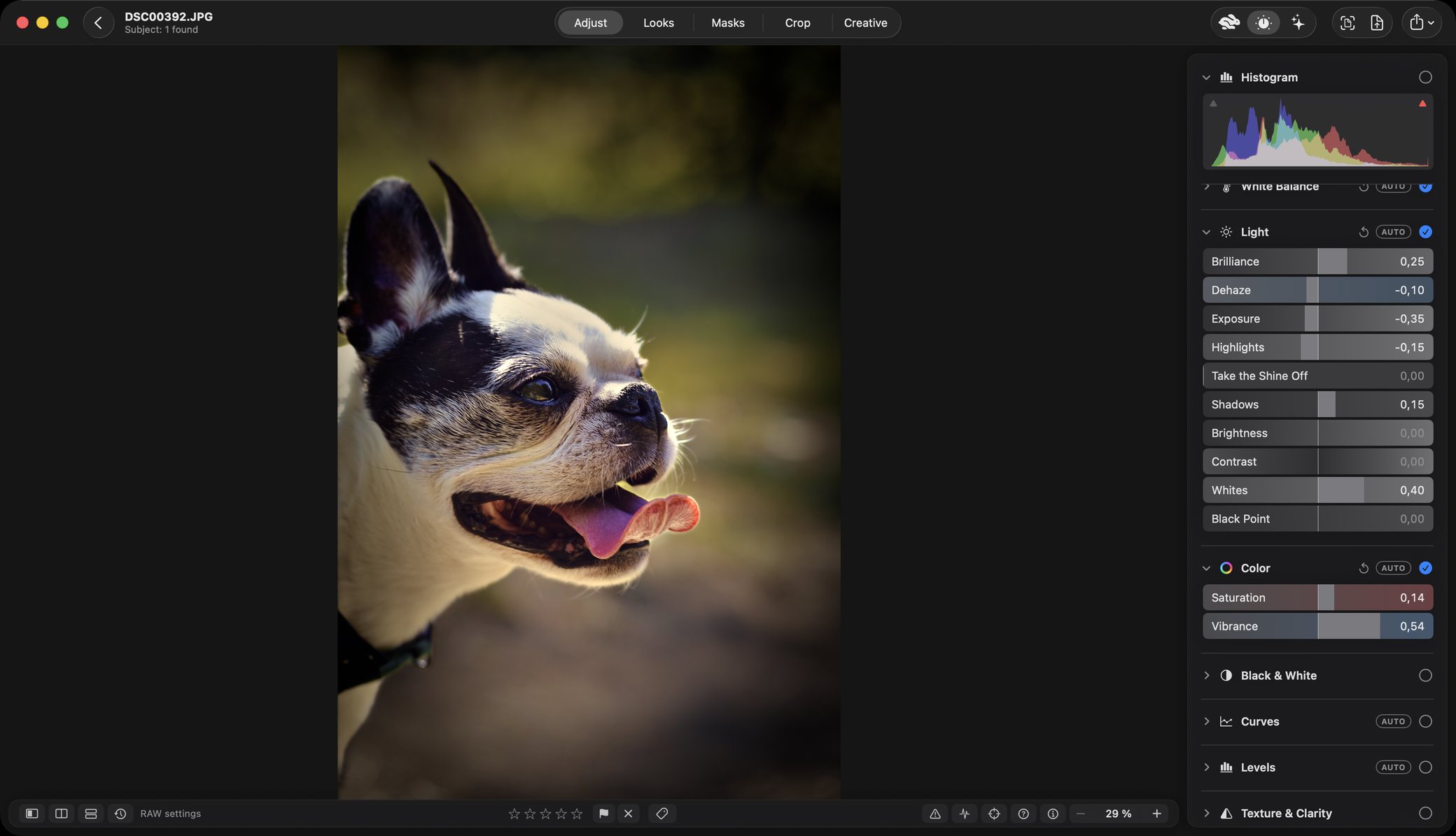
Left: the camera’s file. Right: the finished photograph, the same frame. Nothing here is a preset.
Workflows · Mac
Your whole album, in the look you want
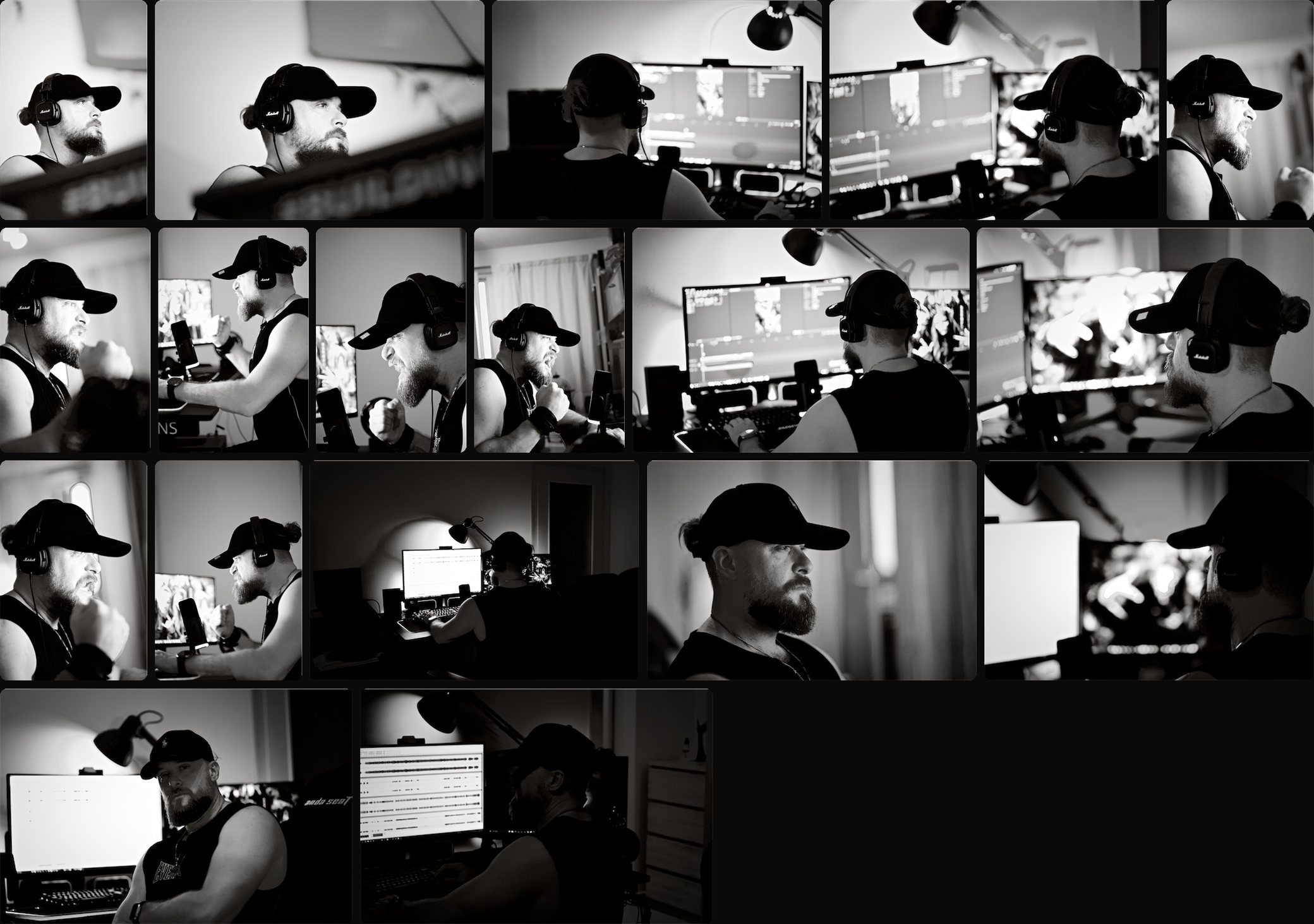
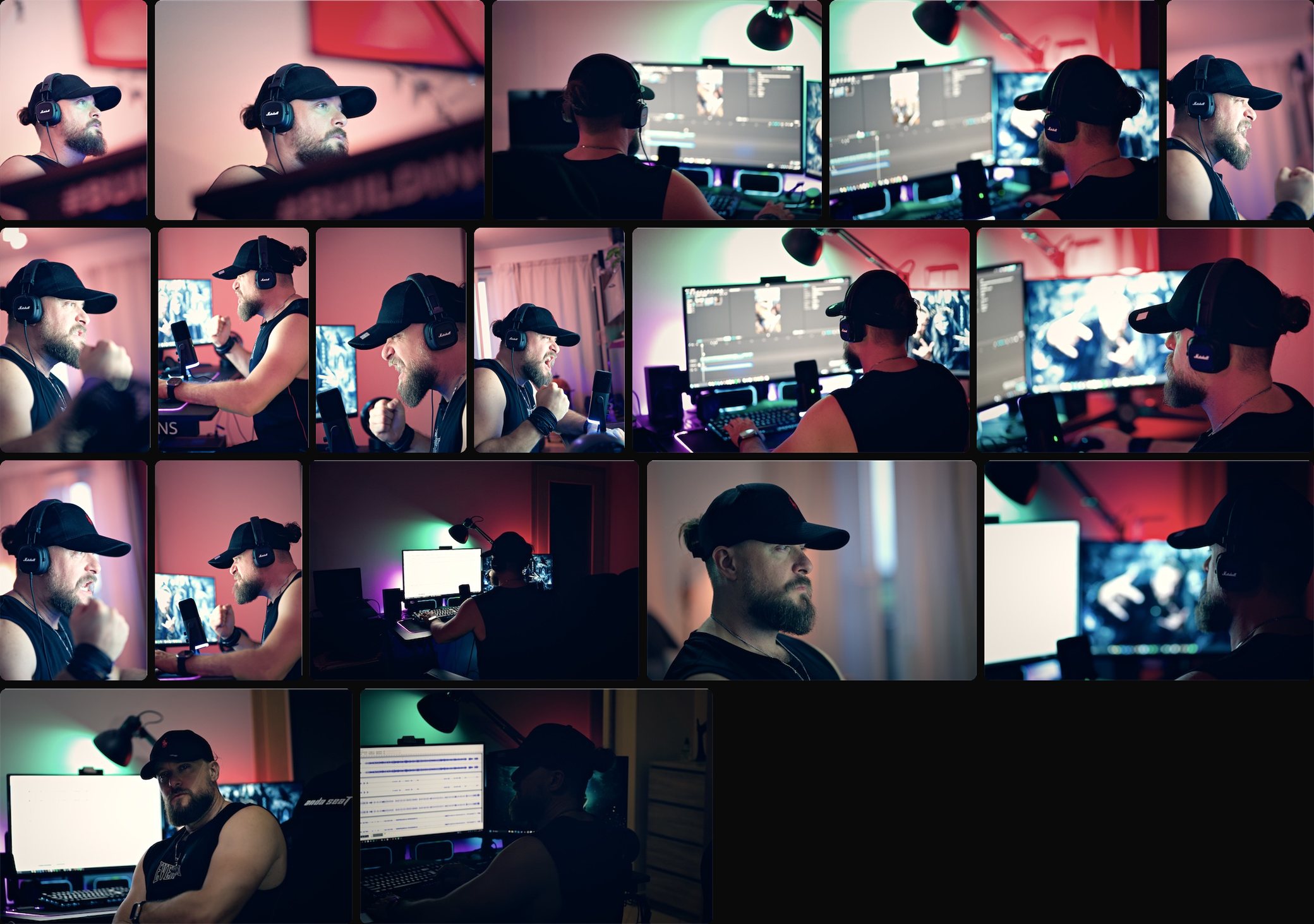
Pick an album, pick the look — or several — and run one workflow. Rebrilo corrects every photograph for itself and then puts the look over all of them, or makes the album again in each look you chose, every version a copy in an album of its own and the originals left as they are. Eighteen frames from one studio session, four ways:
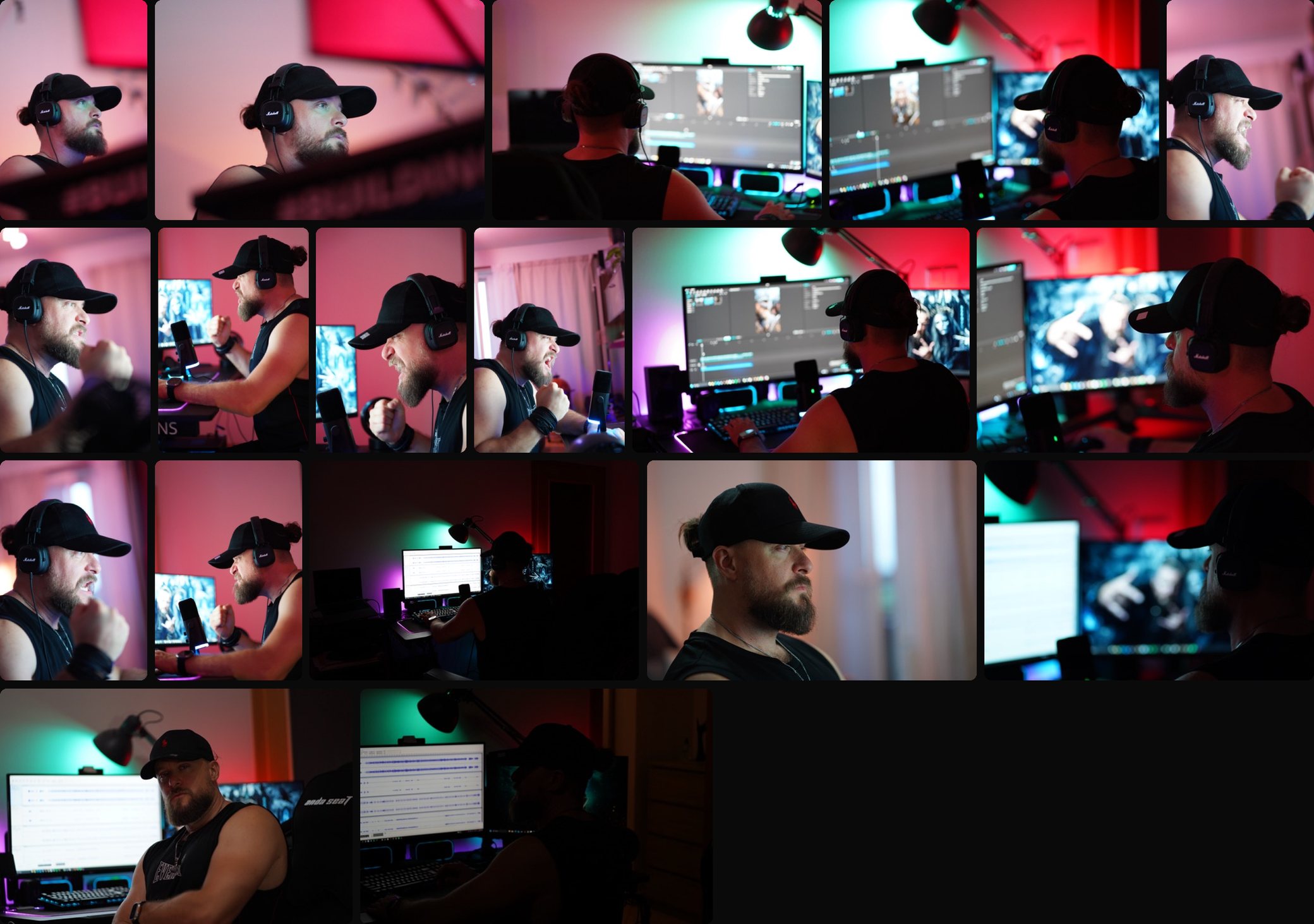
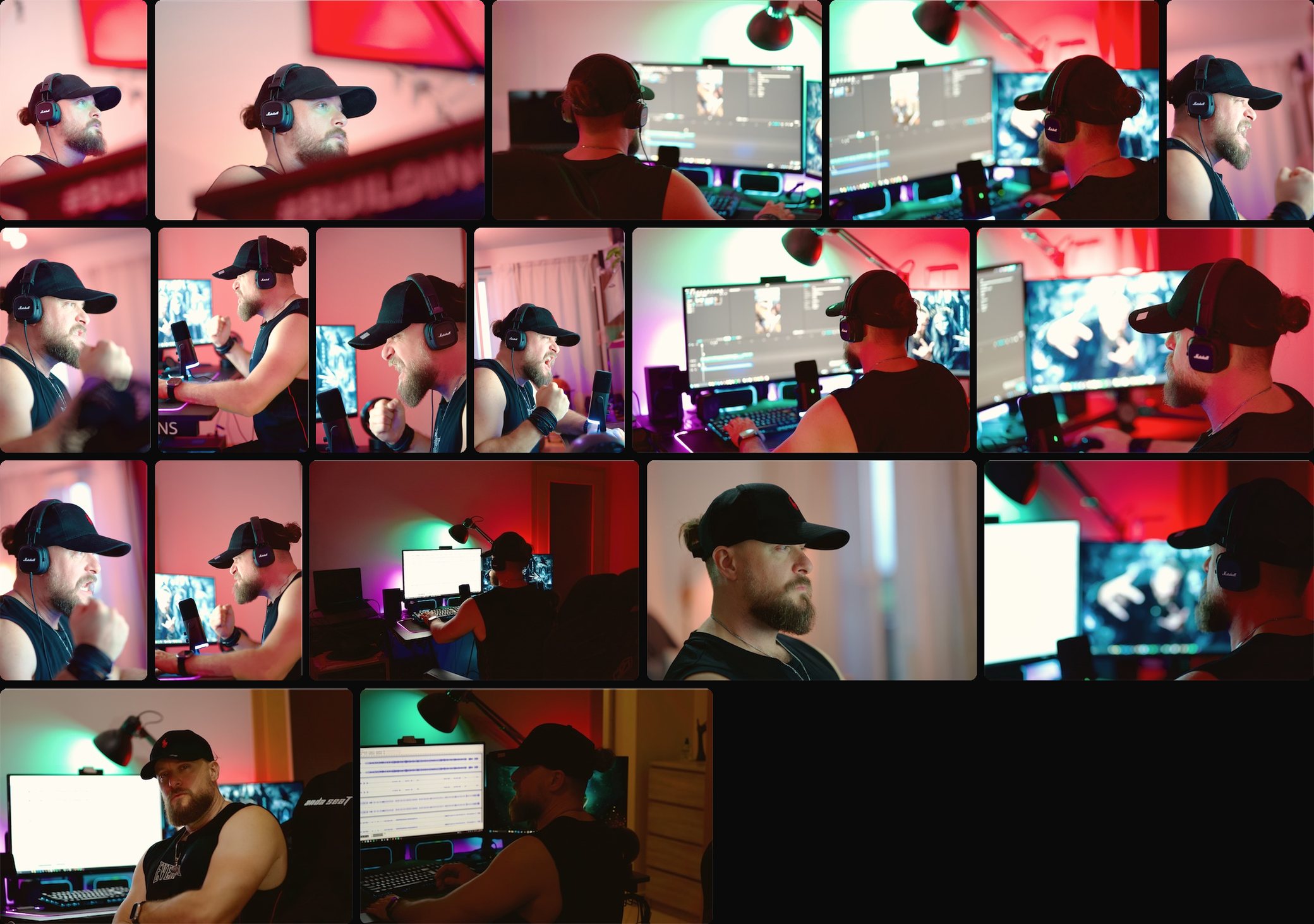
The camera’s own pictures: eighteen frames from one session, as they came off the card.
The same eighteen in black and white, the blacks deep and the light on the face kept.
The same eighteen with the colour held back, contrast in and a little fade — one grade over the whole set.
The same eighteen lifted and opened up: soft shadows, clean highlights.
In the photographs: Luknar — Czech artist & musician · luknar.cz
Your photographs
Nothing you edit leaves your device.
This is not a policy written after the fact. It is how the application is built, and it is checkable: the Mac application ships with no network entitlement at all. The subject, the people and the sky are found on the device itself, and there is no account to make.
Nothing is uploaded
There is no server, because there is nothing to send to one.
Nothing is copied
Folders are referenced where they already are. Your originals are never moved, rewritten or imported into a vault.
No Rebrilo account
No sign-up, no email address, no login of ours. The trial and the purchase go through the App Store, with the Apple Account you already have.
Nothing deleted behind your back
Edits are kept beside the catalogue and never written into your files. Removing a photograph from the library leaves the file untouched.
Price
One payment. Not another subscription.
That is the aim, and the purchase we hope you make. A subscription is there too, for anyone who would rather — the same application either way.
Try it first — 14 days, free
The complete application for 14 days from when you start the trial, with nothing held back. No card, no sign-up, no Rebrilo account. After 14 days, exporting and sharing need the one-time purchase or a subscription, and the photographs Rebrilo shows on screen carry a Rebrilo watermark. Editing, culling and your library keep working, and your work stays on your Mac.
Buy once · recommended
Paid once. Nothing renews.
- Renews
- Never
- Updates
- Every update for at least two years
- Devices
- Mac, iPhone and iPad, one purchase
- Expires
- Never — the application is yours to keep
Subscribe instead
- Renews
- Automatically, monthly or yearly — cancel in your Apple Account settings
- Unlocks
- Exactly the same application as buying once — nothing more, nothing less
- Devices
- Mac, iPhone and iPad
- For
- Anyone not sure yet, not ready for the whole sum, or waiting for the version that suits them
* Prices in Slovakia and the Czech Republic. Every country has its own — the App Store shows yours, in your currency, before you pay anything. Terms of use.
What happens next
Let’s make the best editor on the Mac
That is the goal, and it is not ours alone. A good deal of what is already here exists because somebody wrote in to say something was wrong.
- Built quickly, updated often
- Rebrilo is built with Claude Code — agents working in parallel, one reading the code while another tries to prove it wrong. That is why updates arrive through the year rather than once, a long way off, and the one-time purchase includes every update for at least two years.
- Tell us what is wrong
- A bug, something slow, a control in the wrong place, something missing — write. Every message is read by the person who makes it. A sentence in the application that misled you counts as a bug here, and gets fixed like one.
- The picture is yours to make
- Rebrilo finds the sky and measures the light, and every automatic step shows its working. It does not decide what the photograph should be, and there is no generative AI anywhere in it.
Questions
Questions people ask
Does it upload my photographs, or need the internet?
It never uploads anything. The Mac application ships with no network access of its own — not a setting, a property of how it is built — and the subject, the people and the sky are found on the device itself. The one thing that goes through the internet is the App Store: starting the free trial, buying and restoring need it to be reachable at that moment. Once the App Store has confirmed, Rebrilo works the same on a plane as at a desk.
Does it change my original files?
No. Edits are kept beside the catalogue and never written into your RAW, JPEG or HEIC files, and folders are read where they already are. Removing a photograph from the library leaves the file untouched.
Which cameras and formats does it open?
RAW files from the cameras macOS itself can read — Rebrilo develops them with the Mac's own RAW engine, so Apple's list of supported cameras is its list — plus JPEG, HEIC, TIFF and PNG.
Is it a subscription?
It is meant to be bought once. A monthly or yearly subscription is offered as well for anyone who would rather, and both unlock exactly the same application. In Slovakia it costs €79.99 once, or €2.99 a month or €22.99 a year; in the Czech Republic 1 990 Kč, 79 Kč or 499 Kč. Every country's App Store sets its own price and shows it in your currency.
Is there a free trial?
Yes: the complete application, free for 14 days from when you start the trial, with no card and no Rebrilo account. You start it in the app as a free in-app purchase, confirmed by the App Store with the Apple Account you downloaded Rebrilo with, so the App Store needs to be reachable when you start it. After 14 days, exporting and sharing need the one-time purchase or a subscription, and the photographs Rebrilo shows on screen carry a Rebrilo watermark. Editing, culling and your library keep working, and your work stays on your Mac.
Can I bring my Lightroom presets?
Yes. Lightroom presets saved as .xmp import as looks. Anything a preset asks for that Rebrilo has no control for is noted in the look's summary rather than silently dropped.
Does it run on Intel Macs? And on iPhone and iPad?
Not on Intel: the Mac version needs a Mac with Apple silicon and macOS 26 or later. Rebrilo is also on the iPhone and the iPad, with iOS 26 or iPadOS 26. It is one App Store record and one purchase: whoever buys it, once or by subscription, has it on all three, and the 14-day trial works the same way.
Is there AI in it?
Apple's Vision framework, running on your Mac, finds the subject, people and sky for masks and suggests tags. Nothing is sent anywhere, and there is no generative AI: it does not invent content, and it does not decide what your photograph should look like.